 Markdown reader and editor for Mac
 Your agents write markdown all day. Read it somewhere good.
Markdown Library ML-42 opens the folders you already work in (a git repo, a docs directory, an Obsidian vault) and gives every .md file in them a proper place to be read. Search all your projects with ⌘K and edit in place. When Claude Code, Codex or any other agent rewrites a file you have open, ML-42 reloads it.
$12.99 · Mac · buy once
Introductory price. It goes up later.
Native macOS · macOS 26+ · Apple Silicon and Intel · No subscription, no account
A working ML‑42, in your browser
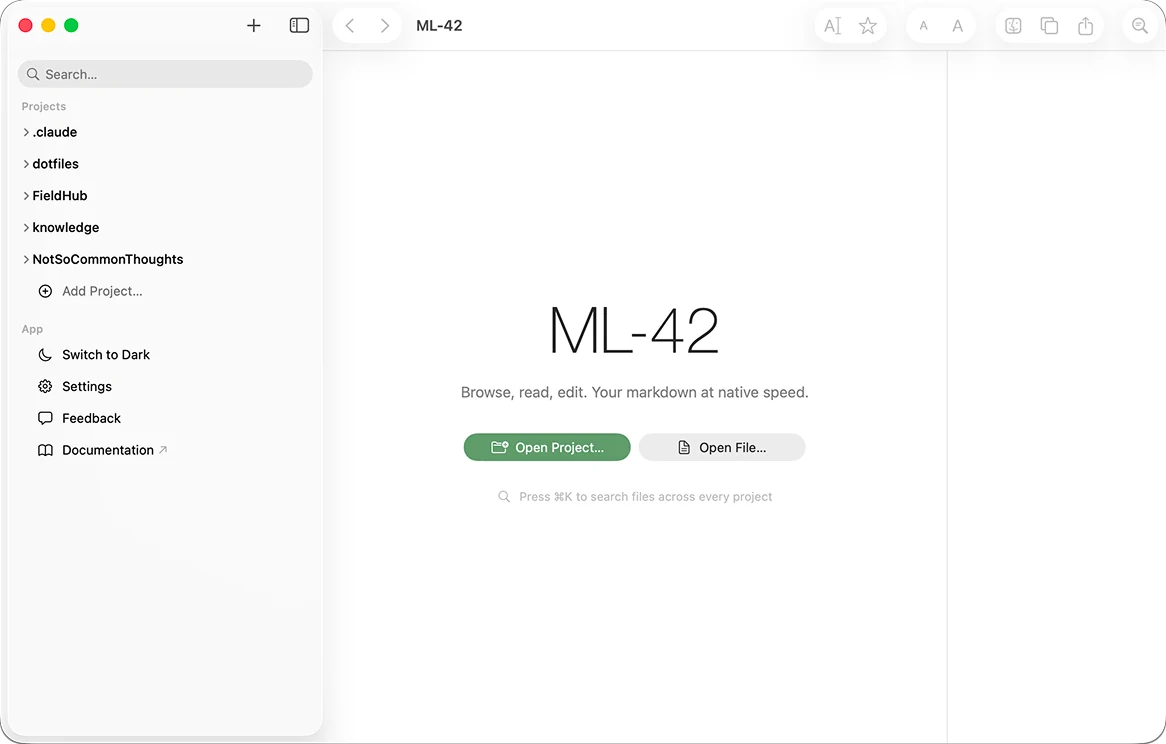
Three sample projects. Click through the folders, press ⌘K (Ctrl+K) to search all of them, and use the Edit button in its toolbar to switch the open file between view and edit mode. When the window comes into view, a simulated Claude Code session edits a plan while ML-42 has it open.
The folder is the library
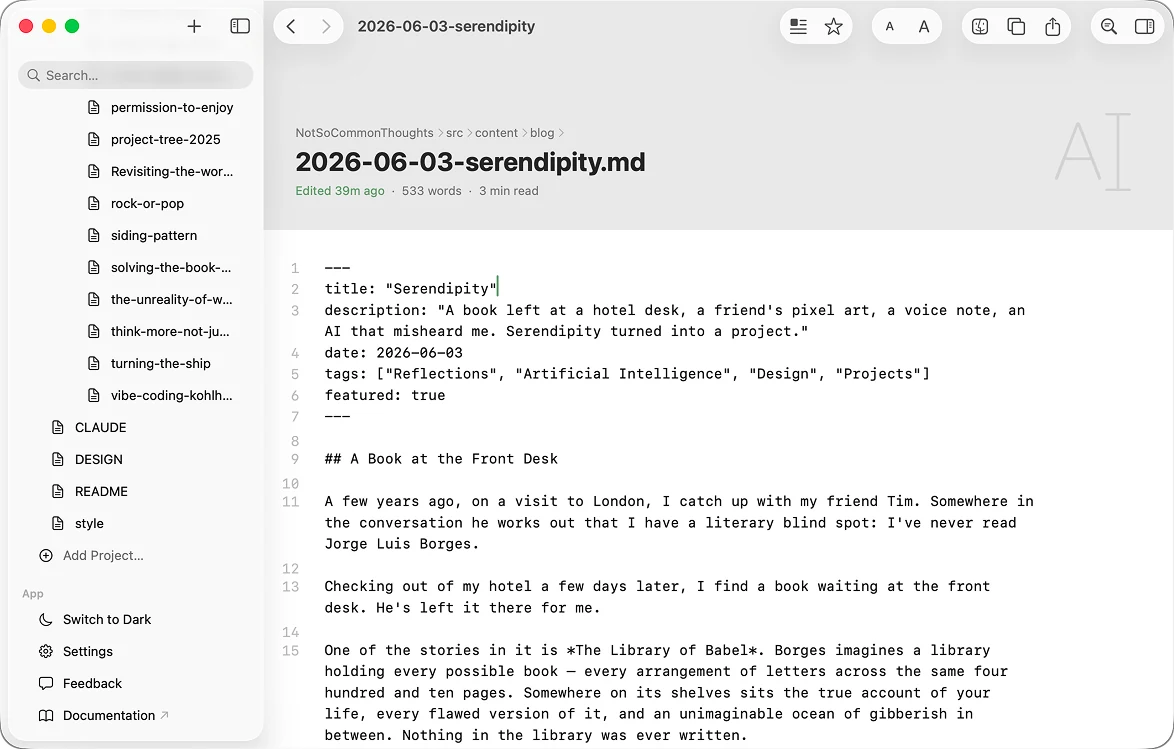
ML-42 reads the markdown that is already in a folder. You add the folder as a project and start reading. Nothing is copied into a database and nothing is written into the folder, so a repo stays a repo: the same files, the same history, the same diff your team reviews.
The sidebar shows markdown and nothing else. Source code, lockfiles and images stay out of the way, and search skips build and dependency folders, so node_modules never floods a result list.
Close the app and your files are exactly the bytes they were, in the directories they were already in.
These are the three sidebar settings in ML-42, all on. Turn them off to see what the sidebar would show for this repo without them. In the app, changes apply the next time you open or reload a project.
One search across every project
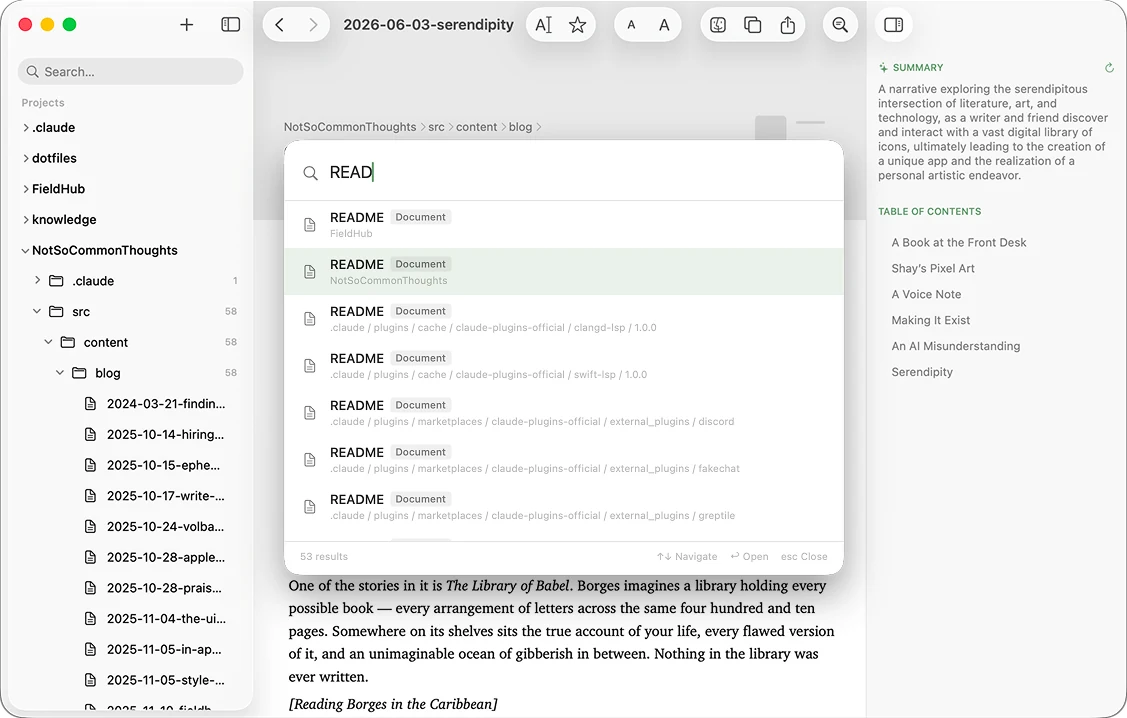
Most markdown apps search one vault at a time. The ML-42 command palette searches every folder you have added, by filename as you type and by content right after. Each result says whether it is a project, a folder or a document and shows its path, so the spec in one repo and the runbook in another are one keystroke apart.
Try it in the window above: press ⌘K and type rollback.
Know what a file says before you open it
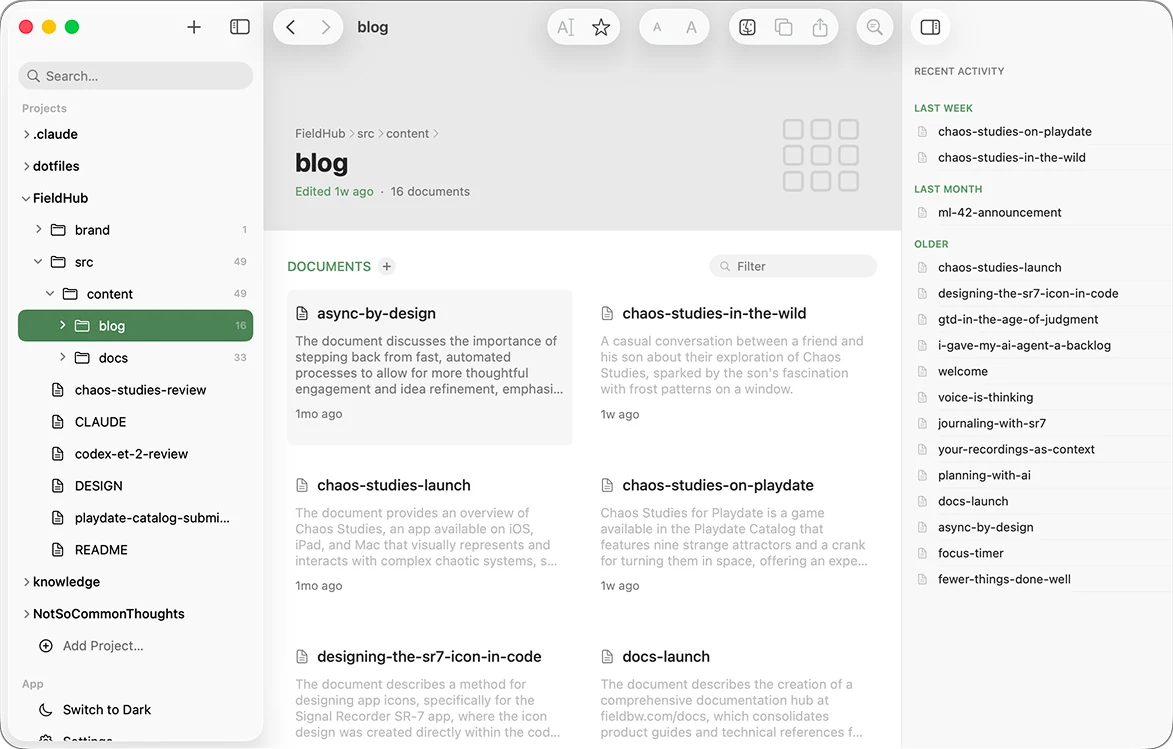
With Apple Intelligence turned on, ML-42 writes a one-sentence description of each document on your Mac and caches it per file. Folder views show the descriptions on cards and the inspector shows them next to the document, so a folder of numbered decision records reads like an index.
Summaries need Apple Intelligence. Everything else in ML-42 works without it.
- 0005-queue-on-postgres.mdRecords the decision to move background jobs from Redis to a queue that runs on Postgres.
- 0006-flags-per-market.mdRecords the decision to roll new features out one market at a time instead of by percentage of traffic.
- 2026-09-24-interviews.mdFindings from six interviews with shoppers who abandoned their carts in the last month.
No database. No sync layer. No subscription. Your files stay on your Mac.
Read it rendered, edit it raw
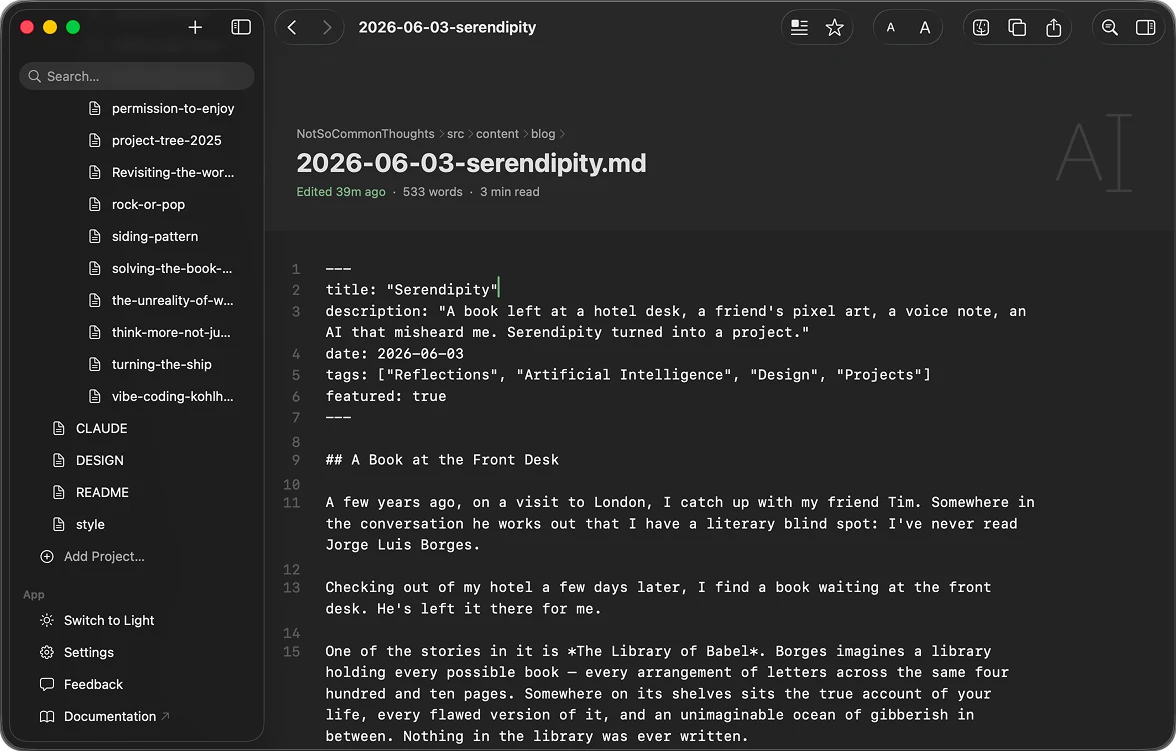
ML-42 opens every document rendered: headings as headings, tables with aligned columns, code highlighted in more than 15 languages, front matter as a list of properties. That is the view mode, for reading, and on its own it makes ML-42 a markdown viewer. Switch to edit mode and you get the plain markdown with line numbers, at native speed. Switch back and it renders again.
Reading presets set the font, size, line height and width for long documents. Light and dark follow your Mac, or you can pick one.
An approximation in your browser. The app uses the fonts on your Mac.
How it compares
ML-42 is a reader and editor for folders that exist for other reasons: repos, docs directories, agent context. If you want a home for personal notes or an instrument for long-form writing, one of these may suit you better, and the table says which.
| Question | ML-42 | Obsidian | Typora | iA Writer | Bear |
|---|---|---|---|---|---|
| Your existing folders | Opens any folder as it is and adds nothing to it. | Opens a folder as a vault and writes a .obsidian config folder into it. | Opens any folder directly. No vault, no database. | Works on plain-text files in your folders. | Notes live in Bear's own database. Import copies files in. |
| Many projects at once | Many folders side by side, one search across all of them. | One vault per window. No built-in search across vaults. | Built for writing one document at a time. | Built around composing one document at a time. | One library inside the app, organised with tags. |
| When an agent edits a file | Reloads it automatically. | Picks up changes to files inside the vault. Built around one vault, not many repos. | Plain files, so agents can edit them. Built for writing one document, not watching a folder. | Plain files, so agents can edit them. Built for composing, not watching a folder. | Agents can't easily write into its database. |
| Extras | None, by design. No plugins, no graph, no export suite. | Thousands of plugins, graph view, backlinks, canvas. | Export to PDF, Word, LaTeX and EPUB. Mermaid and MathJax. | Focus Mode, Style Check, Authorship tracking. | Nested tags, sketching, OCR search in photos and PDFs (Pro). |
| Platforms | Mac, macOS 26 or later | Windows, macOS, Linux, iOS, Android | macOS, Windows, Linux | macOS, iPhone and iPad, Windows, Android | Mac, iPhone, iPad |
| Price | $12.99 once, introductory | Core app free. Optional Sync at $4 to $5 per user per month. | $14.99 once, up to 3 devices | $49.99 on Mac, $19.99 on iPhone and iPad | Free tier. Pro is $2.99 a month or $29.99 a year. |
| Best for | Markdown that lives in repos and docs folders, read and edited across many projects while agents work on it. | A linked personal knowledge base with plugins, on every platform. | Writing one document without seeing syntax, then exporting it. | Focused long-form writing on Mac and iPhone. | Personal notes on iPhone, iPad and Mac with iCloud sync. |
Details about other apps were checked against each app's own website on 28 August 2026.
Buy it once
$12.99once
Introductory price. It goes up later. No subscription, no account, nothing to renew.
- SystemmacOS 26 or later, on Apple Silicon or Intel
- SummariesOptional, with Apple Intelligence, on device
- PrivacySandboxed, no telemetry. It goes online only for web images in your documents and for feedback you choose to send.
- SyncWhatever already syncs your folders: git, iCloud Drive, Dropbox
Before you buy
Do I have to import my files?
No. Add any folder as a project, such as a git repo, a docs directory or an Obsidian vault, and ML-42 reads and edits the files where they are. There is no import step and no database.
Will ML-42 change my files?
Only when you edit them. ML-42 adds nothing to your folders. When an agent or another editor changes a file, ML-42 reloads it so you see what is on disk.
Does it work with my Obsidian vault?
Yes. Add the vault folder as a project and ML-42 reads the markdown in it without adopting the folder or writing a config folder into it. Obsidian features such as the graph view and plugins stay in Obsidian.
Does ML-42 sync?
It has no sync of its own. Your folders sync the way they already do: git, iCloud Drive or Dropbox.
Does it need Apple Intelligence?
Only for the one-sentence document summaries. Everything else works without it.
Does it run on Intel Macs?
Yes. ML-42 needs macOS 26 and runs on Apple Silicon and Intel Macs. Summaries need Apple Intelligence, which runs on Apple Silicon.
Is there an iPhone or iPad version?
No. ML-42 is a Mac app, and no iOS version is planned.
How much does it cost?
$12.99, once, on the Mac App Store. That is an introductory price and it will rise later. There is no subscription and no account.
Does ML-42 send my files anywhere?
No. Your files never leave your Mac. The app is sandboxed and has no telemetry. It goes online only to fetch images your documents link to on the web, and to send the feedback form when you choose to.
Can I edit, or only read?
Both, in two modes. A document opens rendered, for reading. Switch to edit mode to change the plain markdown, shown with line numbers, and switch back to read it rendered.